
What is Cloaking in SEO and Why is it Prohibited?
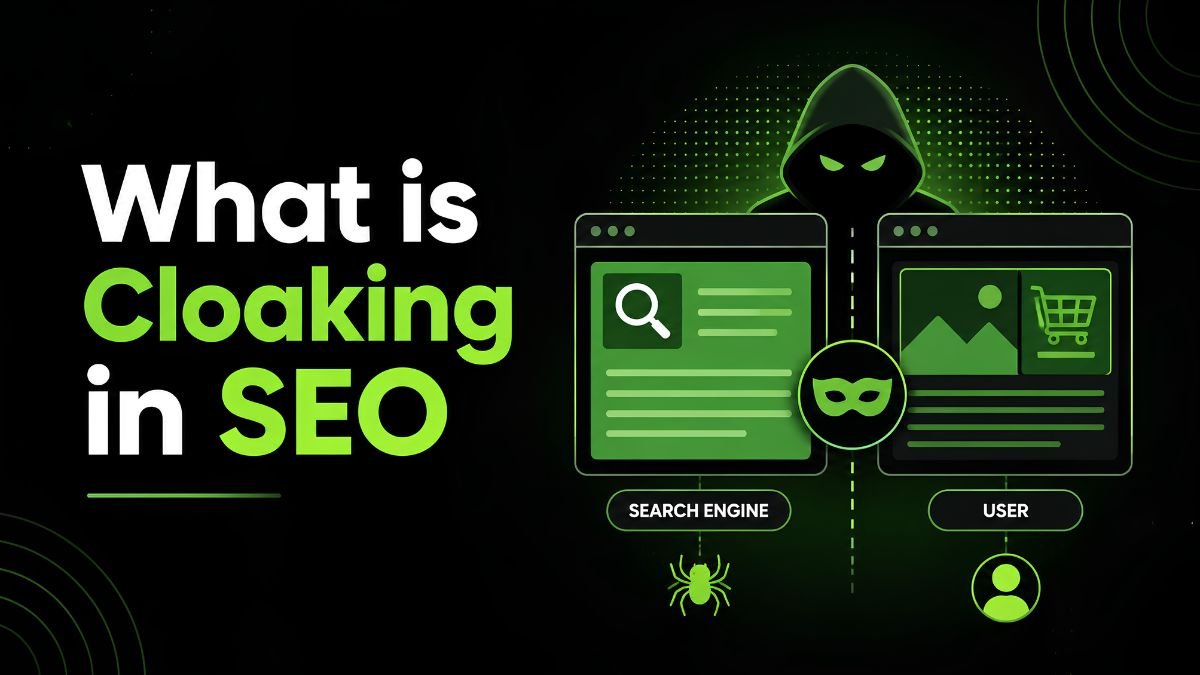
In SEO, cloaking refers to showing one type of content to website users and another to search engines. Website owners do it when they want to hide something from their visitors while showing search engines information that generally does not match the search terms.
Cloaking is one of the most controversial and strictly prohibited practices in SEO. Yet it can seem like an easy way to achieve top results in a competitive market. But this practice can actually destroy your website.
Google defines cloaking as a breach of its policy. Because it involves deceiving users, getting caught by algorithms can hurt search rankings.
What Are the Different Types of Website Cloaking?
Website owners can use several methods to show different content to search engines and users, referred to as website cloaking. Here is a quick comparison:
| Type | How It Works | Simple Example |
| IP cloaking | Checks the visitor’s IP address | Googlebot gets another page |
| User-agent cloaking | Checks the user-agent | A crawler gets different content |
| JavaScript cloaking | Uses JavaScript to change content | Users see content crawlers do not |
| HTTP Referer cloaking | Checks where a visitor came from | Search visitors get another page |
| Hidden Text | Hides some Text from users | Crawlers get extra keywords |
Why Do Some Websites Use Cloaking?
Some website owners use cloaking to show search engines one version of a webpage while showing users different content. They may do this to manipulate search rankings.
Cloaking example:
A site may show Googlebot a keyword-rich informational page while sending users to a sales page. This makes the page look more relevant to search engines than it really is for visitors.
Hackers may also use cloaking on compromised websites. They can add spam pages, links, or other content and hide it from site owners and visitors while showing it to search engines.
In the past, some developers used different methods to help search engines access content that relied heavily on JavaScript.
Today, Google can process JavaScript, although rendering still has some limits. Developers can use methods such as server-side rendering or static rendering to make important content easier for search engines to access.
However, website owners should build pages that provide the same core content and purpose to both search engines and users instead of creating separate crawler-only pages.
Contact SaaS SEO Agency to get a website audited for Google Cloaking.
What are Examples of Cloaking?
Cloaking takes many forms, ranging from obviously deceptive to inadvertently policy-violating:
- Sending a keyword-stuffed version of a page to search engine crawlers and a plain, easy-to-use website to visitors.
- Redirect human traffic after they click a search result. But the crawler is indexing the original URL.
- Showing search engines content that users cannot access, mainly to improve search rankings. Legitimate paywalls do not count as cloaking when they follow Google’s guidelines.
Note that certain cloaking-style behaviors may not actually be cloaking, depending on the context. This includes providing content to a user based on their device type (for example, mobile or desktop). This is permissible.
If you’re customizing based on a user’s login state, this is usually permissible as long as the content being provided when you are logged out accurately reflects the page’s purpose. According to Google, the content should be very close to what’s being provided to normal users.
Why Does Google Penalize Cloaking?
Google does not allow websites to use cloaking to manipulate its search systems. Google detects spam through automated systems and manual reviews. If your website violates its spam policies, Google may lower your rankings, reduce your visibility, or remove your pages from search results. Google may also issue a manual action.
If Google issues a manual action, you can see the notice in Google Search Console. After fixing the issue, you can submit a review request.
Therefore, any short-term benefit does not make cloaking worth the risk.
Google Cloaking Spam Policies
Google keeps improving its systems and policies to fight search spam.
In March 2024, Google introduced three new spam policy areas covering expired domain abuse, scaled content abuse, and site reputation abuse. These policies target different methods that people may use to manipulate search rankings.
Cloaking has long been against Google’s spam policies. Google considers it a form of spam when a website shows different content to search engines and users to manipulate search rankings.
Google also continues to update its spam policies as new ways of manipulating Search emerge. Therefore, website owners should focus on creating content and pages that serve users rather than trying to show search engines a different version.
Cloaking vs. Content Personalization
Cloaking and personalization may both change what a visitor sees. However, their goals differ.
Personalization aims to help the user.
For example, an online store may show prices in your local currency. A website may also show you the correct language based on your location.
Cloaking aims to mislead search systems or users.
For example, a site may detect Googlebot and show it a keyword-rich article that normal visitors never see.
A simple way to remember the difference is:
Personalization changes content to improve the user’s experience. Cloaking changes content to manipulate search engines or mislead users.
How to Check a Website for Cloaking
You might not be aware that cloaking is occurring on your website, especially if your website has been hacked.
Begin by comparing the search engine’s index to what you see on the site. Look for major differences in titles, visible text, links, redirects, structured data, and page destinations.
Then, review your JavaScript, CSS, server rules, plugins, and website files for hidden content, suspicious scripts, or unexpected redirects.
You should also check Google Search Console.
Look for:
- Manual actions
- Security warnings
- Strange indexed pages
- Unknown search queries
- Sudden drops in search visibility
If you find pages that you did not create, check your site for malware or a security breach.
How to Avoid Cloaking
The safest approach is simple. Create pages for people first while making the same core content available to search engines.
You should:
- Give users and search engines the same main content.
- Never add keyword-rich text only for Googlebot.
- Avoid redirects that target search crawlers.
- Make your JavaScript content easy for search engines to access.
- Add useful text and alt text to image-heavy pages.
- Check your website for hacks and unknown scripts.
- Monitor Google Search Console for security issues and manual actions.
- Follow Google’s current spam policies.
Most importantly, do not try to solve SEO problems by hiding one version of your website from users.
Final Thoughts
Cloaking may seem like a quick way to improve search rankings, but it can put your website at risk. Google treats deceptive cloaking as spam because it shows search engines different content from what users see.
Instead, focus on creating useful pages for people and make sure search engines can access the same essential content. This approach supports both a better user experience and long-term SEO.
Check out our blog page for more relevant topics.
Frequently Asked Questions
What is cloaking in SEO?
Cloaking is a black hat SEO technique that shows search engines different content than regular visitors see to manipulate search rankings..
What is cloaking on Google?
Cloaking is the act of sending pages that look different to users and search engines, intending to improve search engine rankings and deceive the visitor
How does cloaking work?
SEO cloaking allows webmasters to show altered content to search engines and different content to regular users. They do this by first recognizing who is requesting the page. For instance, by a search engine spider’s user agent or IP address, webmasters can show it different content than a normal user.